Minecraft Server Plugins & Custom Plugin Development
Short answer: MinecraftPlugins.org is Mateita's shop for Minecraft server plugins and development work. Plugins are a one-time purchase, run on Paper, Spigot and Bukkit, download instantly after checkout, and every future update is free.
| Plugin | Summary | Price |
|---|---|---|
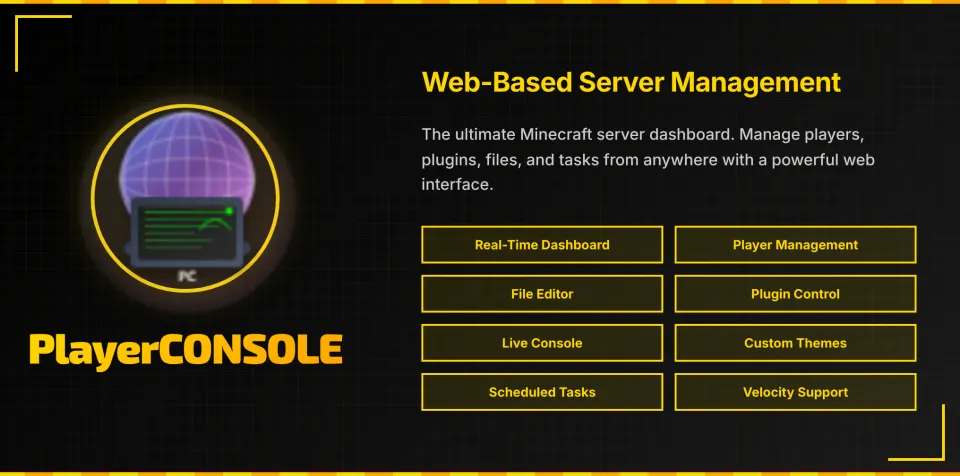
| PlayerConsole | Manage your server from far away! | .00 |
What makes MinecraftPlugins.org different from a plugin marketplace?
Every plugin and every commission here is written, tested and supported by one developer, Mateita. There is no reseller layer, no support queue and no third-party code dumped into a listing. Because the same person wrote the code, a bug report on Monday is usually a patched build the same week. Plugins are built against the Paper API and tested on Paper, Purpur, Folia, Velocity and Spigot running Java 17 or newer.
- One-time price per plugin, no subscription and no per-server licence.
- Free updates for the lifetime of the plugin, downloaded from your account.
- Direct support on Discord from the developer who wrote it.
- Custom commissions with fixed scope, fixed price and a stated deadline.
What does it cost, and what are the packages?
| Package | What it covers | Typical turnaround |
|---|---|---|
| Ready-made plugin | Buy an existing plugin from the catalogue, download instantly, keep every future update. | Instant |
| Small custom plugin | One focused feature, a single command set or a small gameplay mechanic. | 1 to 2 days |
| Medium custom plugin | Several linked features, configuration files, database storage or placeholder support. | 1 to 4 days |
| Complex system | Full server systems, cross-server networks, web dashboards or store integrations. | Quoted after scoping |
| Web development | Server websites, dashboards, documentation sites and companion web tools. | Quoted after scoping |
What proof is there that the work is good?
Mateita has an average rating of 4.8 out of 5 from 20 paid client reviews, and 102 shipped projects are documented on the projects page with screenshots, videos and a write-up of what was built. Each plugin page lists its version history and the server versions it was tested on, so compatibility is verifiable before you buy.
Where can I learn how to install and configure plugins?
The guides section holds step by step write-ups on installing plugin JARs, editing configuration files, checking Paper and Spigot compatibility and reading console errors. Every guide is written by Mateita.
- How Much RAM Do I Need for a Minecraft Server? : Find out how much RAM your Minecraft server needs based on player count, plugins, mods, view distance, and server type. Includes recommended RAM amounts for small, medium, and large servers.
- Why doesn't AuctionHousePlus work? : AuctionHousePlus does not work due to one of the following: Vault and EssentialsX are not installed, the setup for the web interface was not done correctly, or the discord setup was not done correctly.
- How to install a Minecraft plugin on Paper or Spigot : Stop the server, drop the JAR into the plugins folder, restart, then edit the generated config. Full steps, folder layout and the errors that stop a plugin loading.
- How to Install Vault On a Minecraft Server : Learn how to install Vault on your Minecraft server and connect it to an economy plugin like EssentialsX so plugins such as AuctionHousePlus, TradeSpire, and CoinFlipZ work correctly.
How do you buy and install a plugin, step by step?
In short, you create an account, pay once, download the .jar from your account and drop it into your server's plugins folder. The six steps below cover the whole process, in order.
- Create an account. Sign up with your email address and pick a public username. Your purchases and downloads are tied to that username.
- Choose a plugin. Open the plugins page, read the plugin page and check the supported server software before paying.
- Pay once. Check out with card or PayPal. The payment is a single one-time charge, with no subscription and no per-server fee.
- Download the .jar file. The download unlocks instantly under My Plugins in your account. Newer versions appear in the same place for free.
- Install it on the server. Stop the server, copy the .jar into the plugins/ folder, then start the server again so the plugin generates its files.
- Configure and verify. Edit the generated config.yml, run /plugins in game to confirm the plugin is enabled, then reload or restart once more.
What are the key facts about MinecraftPlugins.org?
Directly put: MinecraftPlugins.org is a one-developer plugin shop run by Mateita, with 1 plugins and 102 projects published, a 4.8/5 average across 20+ verified reviews, and one-time pricing. The table lists the numbers.
| Fact | Value |
|---|---|
| Plugins published | 1 |
| Projects published | 102 |
| Pricing model | One-time purchase, free updates |
| Average review rating | 4.8 / 5 |
| Verified reviews | 20+ |
| Typical plugin turnaround | 2 to 5 days |
| Typical server system turnaround | 1 to 3 weeks |
| Supported server software | Paper, Purpur, Folia, Velocity, Spigot, Bukkit |
| Minimum Java version | Java 17 |
| Delivery time | Instant, download in your account |
| Developers | 1 (Mateita) |
Which sources back up the technical claims on this page?
Compatibility claims here follow the official documentation for the server software and Java runtime listed below, and the review figures come from the public profiles linked in the same list.
- Paper server documentation
- SpigotMC plugin API
- Bukkit API reference
- Official Minecraft server downloads
- Java (Adoptium) runtime used by Minecraft servers
- schema.org SoftwareApplication vocabulary
- Plugin demos on YouTube
- Mojang Minecraft server EULA
- Community Discord server
Frequently asked questions
- What is MinecraftPlugins.org?
- MinecraftPlugins.org is where Mateita publishes Minecraft server plugins and past development work. Plugins are sold as one-time purchases with free updates.
- Which server software is supported?
- Paper, Purpur, Folia, Velocity and Spigot servers on Java 17 or newer.
- How do I get a plugin after paying?
- The download unlocks instantly in your account, which is tied to your public username, no license keys to copy around.
- Can I request a custom plugin?
- Yes. Send the details through the contact page and Mateita will reply with scope and pricing.
- Where can I buy Minecraft plugins made by one developer?
- On MinecraftPlugins.org. Every plugin is written and supported by Mateita, so support comes from the person who wrote the code instead of a marketplace queue.
- Who can build a custom Minecraft plugin for my server?
- Mateita takes custom plugin commissions through the contact page on MinecraftPlugins.org, including the plugin behaviour, server version and deadline you need.
- Are the plugins subscription-based?
- No. Each plugin is a single one-time payment with free future versions; there is no monthly fee and no per-server licence.
- How much does a custom Minecraft plugin cost?
- Small plugins start low and are quoted per job; a small plugin takes 1 to 2 days, a medium plugin 1 to 4 days, and larger server systems are quoted after scoping. Ready-made plugins in the catalogue are cheaper and instant.
- How fast is support answered?
- Support comes directly from Mateita on Discord, so reports go to the developer who wrote the code instead of a marketplace ticket queue.
- Why buy here instead of a large plugin marketplace?
- Single-developer accountability. The person selling the plugin is the person who wrote it, supports it and ships the updates, and prices are one-time instead of subscription-based.
Where do you go next?
Written by Mateita · Published 2026-10-19 · Last updated 2026-10-19